

BangaWin Casino Mobile Version for Android and iPhone Without an App or APK
You cannot download BangaWin Casino to your phone: there is no app in Google Play or the App Store, no official APK and no installable PWA version either. On a smartphone, you can only play through a mobile browser. We checked how the site works on a phone, what is available, how to pin it to your home screen as a shortcut and where the browser falls short of a real app. We also want to warn you about APK files passed off as official: installing them is not safe.
Is There a BangaWin Casino App
The site has no native apps for any platform.
| Option | Available at BangaWin Casino |
|---|---|
| App in Google Play | no |
| App in the App Store | no |
| Official APK for Android | no |
| PWA version | no |
| Mobile site in the browser | yes |
| Home screen shortcut | can be created manually |
In practice, this means no phone storage is used, and updates happen on the server side. You do not need to update anything manually, the new version of the site opens the next time the page loads.
Why You Should Not Download an APK From Third-Party Sites
Since there is no official APK, any file passed off as the BangaWin Casino app on forums, in messengers or on third-party sites is fake. To install it, you would have to allow downloads from unknown sources, which opens your device to code of unknown origin. Never enter your email, password or payment details in such a program. Copies of the website are often distributed along with unofficial APKs, so it is better to type the address manually and check it in the browser bar.
System Requirements
The site does not publish minimum Android and iOS versions. In practice, you need 2 things: a modern browser and a stable internet connection. If the connection drops, a round or a payment may not complete, and for live tables it is better to connect via Wi-Fi or a stable mobile network. The site does not request access to your camera, contacts or location.
How to Open the Site on Android
On Android, the site works in Chrome, Firefox and other mobile browsers. To launch it with one tap, add a shortcut.
How to Add a Shortcut on Android: 4 Steps
- Open the BangaWin Casino website in Chrome.
- Tap the 3-dot icon in the top right corner.
- Select “Add to Home screen”.
- Confirm.
How to Open the Site on iPhone and iPad
For iOS users, there is one option, the responsive version in Safari. A search in the App Store will not show anything.
How to Add a Shortcut on iPhone: 4 Steps
- Open the BangaWin Casino website in Safari.
- Tap the “Share” button.
- Select “Add to Home Screen”.
- Tap “Add”.
A shortcut does not turn the site into an app. It is a regular link that opens the page in the built-in browser. It does not work without the internet, and after launching it you sometimes need to log in again with your email and password.
Logging In on a Phone
Your smartphone uses the same account as your computer. There is no need to register again, and the site does not require you to confirm a new device. The login button is in the site header, and you can only log in with your email and password. If you have not created a profile yet, you will find step-by-step form instructions and a breakdown of the fields that matter for document verification in our registration guide.
BangaWin Login and Password Recovery
The session in a mobile browser is not always saved, so keep your password at hand. Autofill from iOS Keychain or Google Password Manager is convenient here.
Forgot Your Password: 3 Steps
- Tap “Forgot password” on the login page.
- Enter the email linked to your profile.
- Open the email on your phone and set a new password via the link.
If you have no access to your mailbox, contact the 24/7 live chat, as the site offers no other way to reset your password.
What Is Available in the Mobile Version
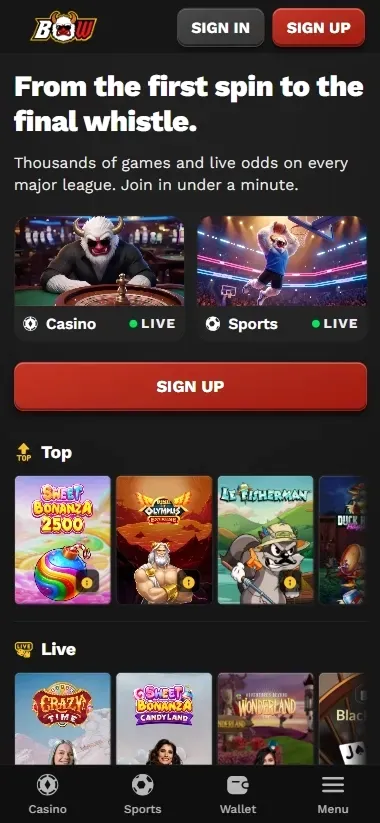
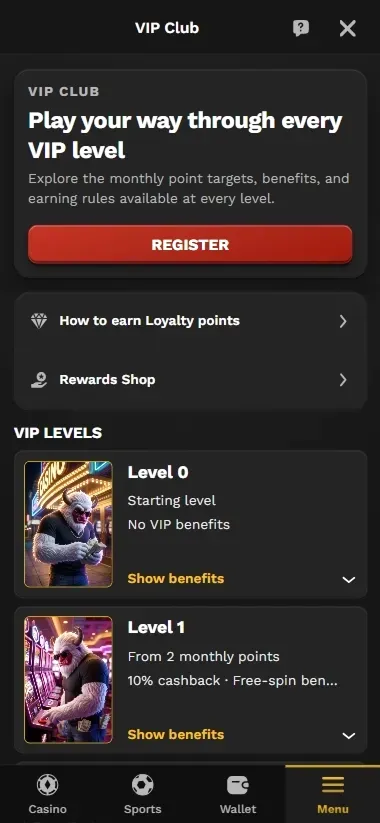
On a phone, you get the full functionality of the desktop version: the cashier, promotions, VIP Shop, document verification, games and support chat. The menu collapses into a side panel, and game tiles rearrange into 1 or 2 columns. The language is switched in the site header without logging in again, and there are 14 of them.
Games on a Smartphone
The mobile browser opens slots, live tables and crash games. The catalogue on a phone may differ slightly from the desktop one, but all 3 sections are available. Mobile slots come from Pragmatic Play, Hacksaw Gaming, Nolimit City, Thunderkick and Yggdrasil, live tables are hosted by Evolution Gaming, Ezugi and Vivo Gaming, and short crash rounds are released by Spribe, Aviatrix, BGaming and Gaming Corps. Popular titles such as Book of Dead, Big Bass Bonanza 1000, Wanted Dead or a Wild and Sun of Egypt 5 also run on a phone. We have compiled the RTP of these slots and the full list of studios in tables on our games page.
Cashier on a Phone
The mobile cashier supports all 8 deposit methods and 7 withdrawal methods. The most convenient options on a phone are the Skrill, Neteller and MiFinity e-wallets: the payment is confirmed in the wallet app, and you do not need to enter card details. Paysafecard works for deposits only. The payment is confirmed on the provider’s side, after which the browser returns you to the site. The support chat opens with a button in the corner of the screen on top of the cashier. We have explained how the methods differ in payout speed and which documents are needed for your first withdrawal in our payments guide.
Promotions in the Mobile Version
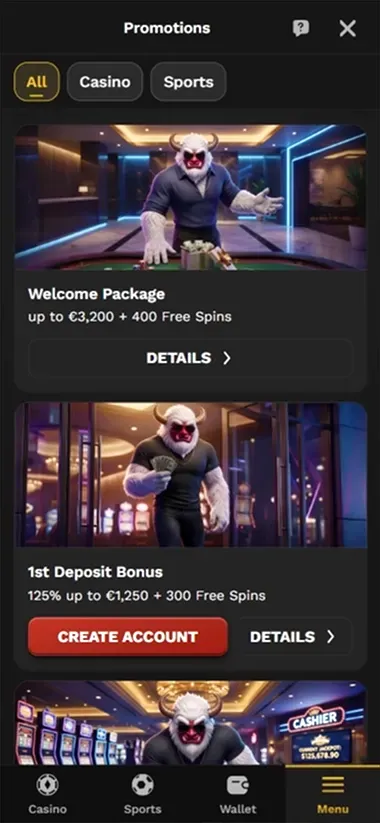
All promotions are available on a phone just as on a computer. The key point for mobile players is that the higher first-deposit match lasts only 60 minutes after registration, so it is convenient to sign up and deposit in one go. There is no separate notification when the Weekend Reload starts, so you will need to keep track of the schedule yourself. The terms of all offers with calculation examples are collected in our BangaWin Casino promotions guide.
Mobile Site and Desktop
Both versions work with the same profile. A deposit made on a phone is immediately visible on the computer, and your level, cashback and document verification status are kept when you switch devices.
| Parameter | Mobile site | Desktop |
|---|---|---|
| Installation | not required | not required |
| Cashier | full | full |
| Push notifications | no | no |
| Quick launch | home screen shortcut | browser bookmark |
| Offline use | no | no |
Notifications
There are no push notifications because there is no app. The site contacts players by email: promotion news and cashier transaction confirmations are sent to your inbox. Emails sometimes end up in Spam, so it is worth checking that folder.
Responsible Gaming on a Phone
All control tools work in the mobile browser. Deposit limits are set per day, week and month, a reduced limit takes effect immediately, an increased one after 24 hours. There is Time-out for a temporary break and Self-exclusion for 1 year or indefinitely, and an indefinite block cannot be lifted early. If you feel that gambling is getting out of control, contact GamCare, BeGambleAware or Gambling Therapy.
Common Problems on a Phone
- Buttons or games are displayed incorrectly. Refresh the page. If that does not help, clear your browser cache and log in again.
- The shortcut asks you to log in again. This is normal for a mobile browser, the session is not always saved.
- A round or payment did not complete. Check your connection and the transaction history in the cashier, and if in doubt, contact the chat.
- The email is already in use when registering on a phone. The account already exists, log in or reset your password.
Mobile Version Summary
The BangaWin Casino mobile version covers everything a player needs: registration, the cashier, promotions, document verification, games and chat. It takes up no storage and needs no updates, and a home screen shortcut lets you open the site almost like an app.
The limitations come from the lack of an app: no push notifications, no offline use and no reliably saved session. The main rule for your phone is simple: do not install APKs from third-party sites and open the site only through your browser.